Streamlabs and StreamElements are where most streamers get their first chat overlay. Both are free, both work in OBS, and both have a lot of streams showing the same default chat. So which one should you use, how far can you customize it, and when is it time to look elsewhere?
Full disclosure: we make ChatStyle, a chat overlay tool, so we're not neutral. We'll still give you an honest comparison. Both tools do plenty of things well, and there are good reasons to stick with them.
Quick comparison
| Streamlabs Chat Box | StreamElements chat widget | |
|---|---|---|
| Price | Free | Free |
| How it gets into OBS | Widget URL as a Browser Source, or built into Streamlabs Desktop | Part of an overlay: the overlay URL goes into a Browser Source |
| Styling without code | Built-in styles, fonts, colors, badges | Themes including "Custom": font, color, size, text shadow |
| Custom code | HTML, CSS and JS | Custom widgets in HTML, CSS and JS |
| 7TV, BTTV, FFZ emotes | Yes | Yes, but not unlisted 7TV emotes |
| Multiple platforms | Twitch, YouTube, Facebook, Kick and X in one chat box | Not advertised for the chat widget |
The short answer: if you stream with Streamlabs Desktop or need chat from several platforms, go with Streamlabs. If your alerts and overlays already live in StreamElements, keep everything there. If you want your chat to look designed and not like a widget, read on to the alternatives.
Streamlabs Chat Box
Setup
- Log in at streamlabs.com with your streaming account.
- Open the Chat Box widget in your dashboard.
- Pick a style, set badges, font color and size.
- Copy the Widget URL.
- In OBS, add a Browser source and paste the URL.
In Streamlabs Desktop, you add the Chat Box directly as a source, no URL needed.
What you can set without code
- Built-in styles
- Badges for mods, subs and Prime
- Extra emotes from BTTV, FFZ and 7TV
- Font color and size
- Hide Message After or Always Show Messages
- Chat Delay, handy if you use a stream delay
- Hide Chatters, to filter out bots and
!commands - Custom bad words
That's a solid feature set. Especially the multi-platform chat is something most other chat overlays can't do.
Custom HTML and CSS
For anything beyond that, switch on custom HTML/CSS in the widget's HTML tab. The default template puts each message in its own div inside #log, with the username in .name and the text in .message. A simple speech-bubble look could start like this:
#log > div {
  background: rgba(20, 16, 36, 0.85);
  border-radius: 12px;
  padding: 8px 12px;
  margin-block-end: 6px;
}

#log .message {
  font-family: "Nunito", sans-serif;
}
This works, but it's on you from here: you need a font that's actually loaded, you have to test animations yourself, and a broken snippet can leave the chat box blank. Streamlabs' own troubleshooting advice for broken widgets is to switch custom HTML/CSS off if you didn't write the code yourself.
StreamElements chat widget
Setup
StreamElements thinks in overlays instead of single widgets:
- Log in at streamelements.com.
- Create an overlay, usually at 1920 × 1080, and add the chat widget.
- Choose a theme. With Custom you can change font, color, size and text shadow.
- Save the overlay and copy its URL.
- In OBS, add a Browser source with the overlay URL, sized like the overlay, and leave the Custom CSS at its default.
The upside: all your alerts, labels and your chat can live in one Browser Source. The downside: you position the chat in the StreamElements editor, not in OBS.
What you can customize
Twitch emotes including animated ones, plus BTTV, FFZ and 7TV. Only unlisted 7TV emotes don't work. For anything that goes further, StreamElements has custom widgets that you write in HTML, CSS and JavaScript. That's powerful if you code, and a real hurdle if you don't.
What happened to StreamElements in 2026?
If you've been using StreamElements for a while, you probably noticed: in May 2026, StreamElements announced it was shutting down, then took it back a week later. At the end of July, Razer bought the StreamElements assets and promised "business as usual" with the same tools and features. The changelog shows overlay updates still coming out in September.
So there's no need to rush a switch. It's still a good moment to note down your overlay settings, or keep a copy of your custom code.
How far does custom CSS get you?
Pretty far, if you like writing CSS. Both tools let you style every message element, load web fonts and add animations. The price:
- You're maintaining code. When the widget markup changes, your CSS may stop working.
- No live design preview. You edit code, reload, check, and repeat.
- Emotes and badges need extra care. Sizes, alignment and line breaks behave differently once you change the layout.
- Everyone else uses the same snippets. The popular CSS templates from Reddit and GitHub show up on lots of streams.
If that sounds like fun, go for it. If you just want a chat that looks good, a tool with a visual designer saves you a lot of time.
Alternatives to the Streamlabs and StreamElements chat box
You don't have to replace your whole setup. Keep alerts, bot and tips where they are, and only swap the chat source in OBS.
ChatStyle
This is our tool, built for exactly this: a chat overlay that looks designed without writing CSS.
- More than 20 free templates plus a visual designer with 55 fonts, colors, borders and entrance animations, with a live preview.
- Emotes from Twitch, 7TV, BTTV and FFZ and Twitch badges, all free.
- Viewer skins: subs, VIPs or mods can get their own look for their messages.
- Messages deleted by your mods disappear from the overlay too.
- Add to OBS creates the Browser Source for you in the scene you pick.
Hex Grid
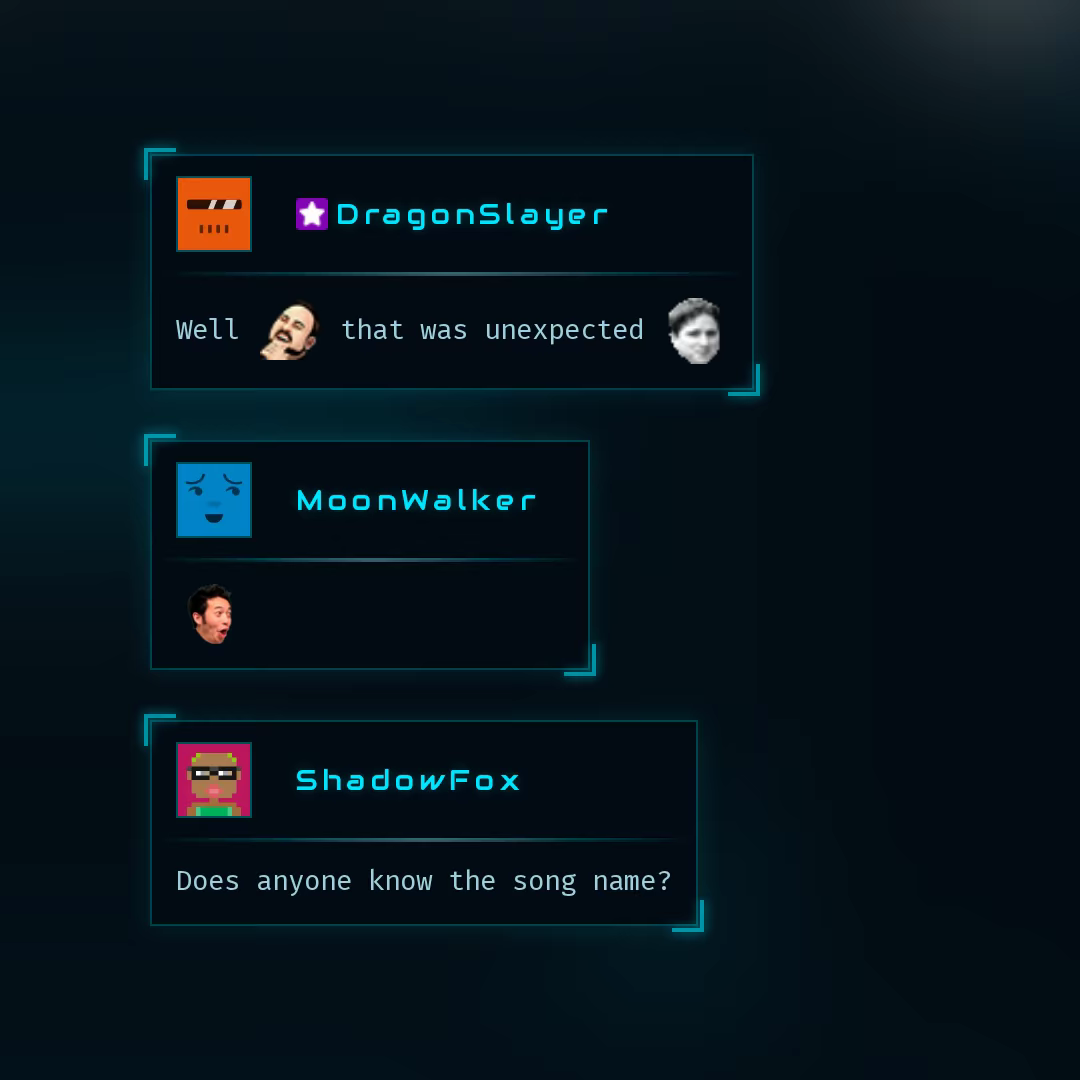
Sci-fi tactical HUD bubble with corner brackets, scanning line, and military targeting aesthetics.
Scrapbook
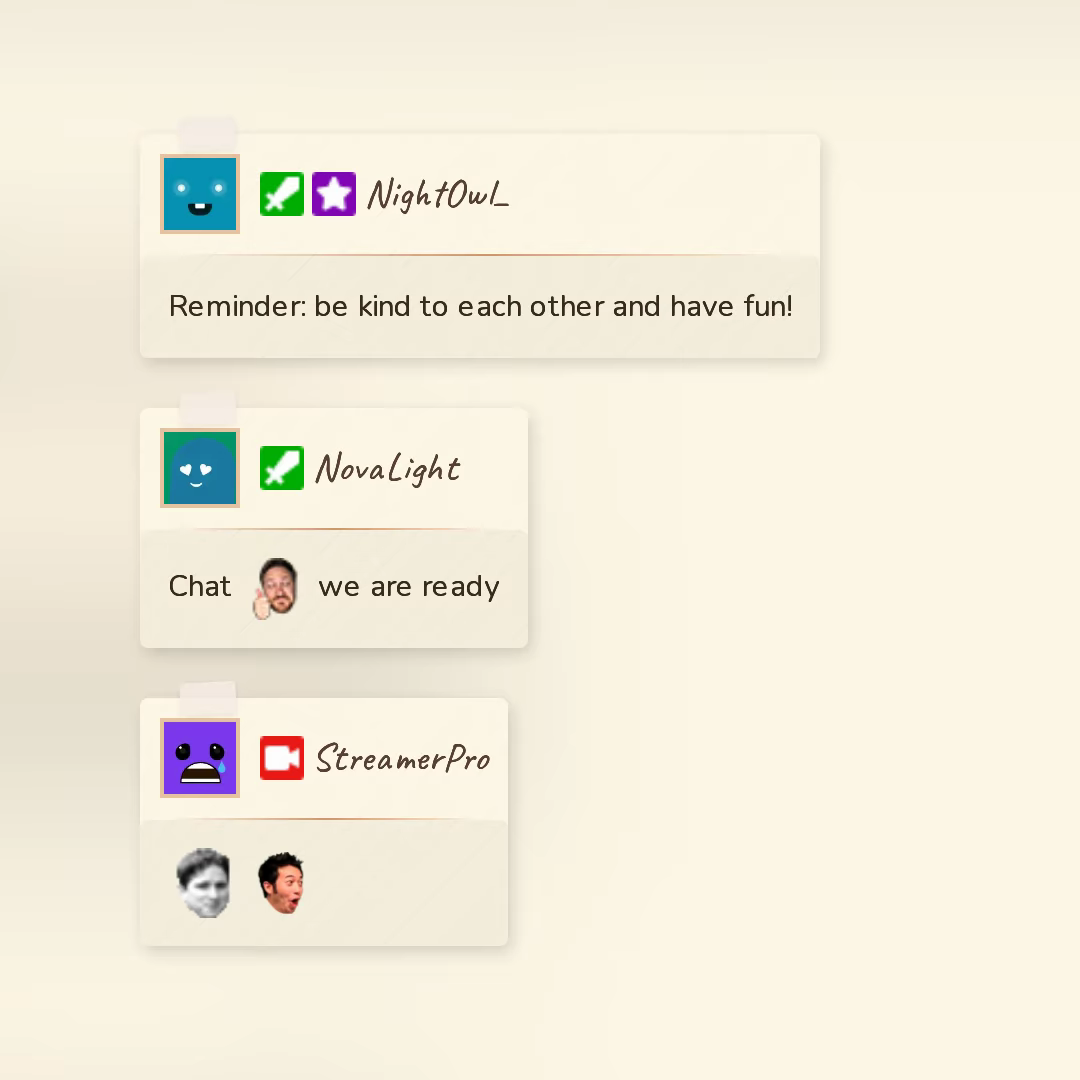
Handwritten note pinned to a corkboard with tape strip, warm cream palette, and slight rotation.
RetroMon
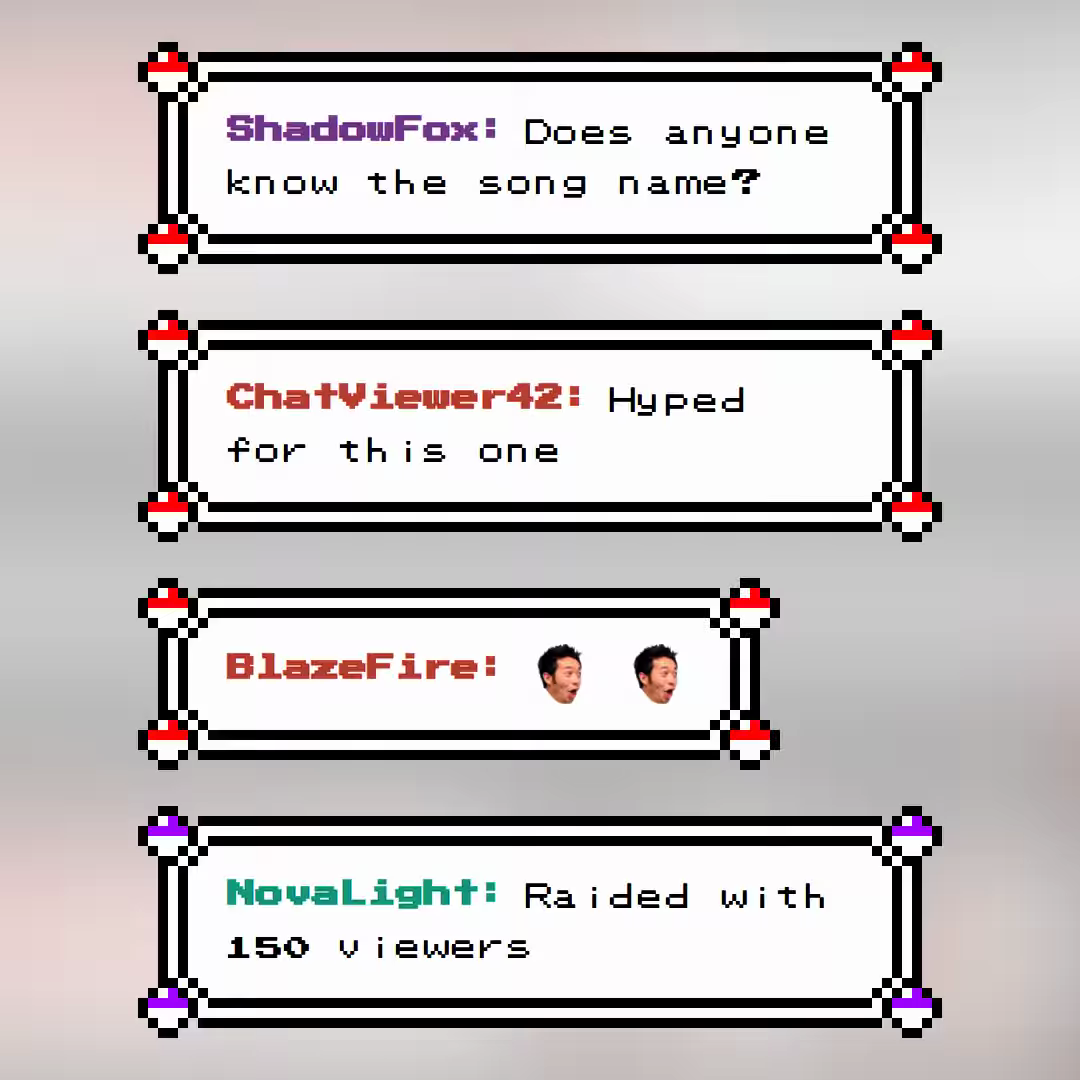
If you ever played Pokemon on the Gameboy you'll remember this Style. Enjoy this amazing Templatev for your Retro Stream session.
To be fair about the limits: ChatStyle supports Twitch and YouTube (in beta), not Kick, Facebook or X. It only does chat, no alerts or bots. And hiding specific accounts or writing your own CSS are Premium features.
Other free options
- ChatIS: open source, 7TV, BTTV and FFZ emotes, custom fonts and bot filter, all configured on one page.
- OWN3D Pro chatbox: free, for Twitch, YouTube and Kick.
- Social Stream Ninja: open source, combines chat from over 100 sources.
Switching your chat overlay in OBS
- Set up the new chat overlay and copy its URL.
- In OBS, add a new Browser source and place it where your old chat was.
- Hide the old chat source with the eye icon instead of deleting it right away.
- Send a few test messages, with emotes, a long message and a command.
- Once everything looks right, remove the old source. For StreamElements, remove only the chat widget from the overlay and keep your alerts.
Which chat overlay is right for you?
- Streamlabs Chat Box: you stream with Streamlabs Desktop or want chat from Twitch, YouTube, Kick and more in one box.
- StreamElements chat: your overlays and bot already run on StreamElements, and you like having everything in one overlay.
- ChatStyle: you want your chat to match your stream's design, give your community their own looks, and skip the CSS.
Curious what your chat could look like? Browse the chat templates and try one in OBS. It takes about five minutes. Setup details are in our guide on how to add Twitch chat to OBS.